
MSME Regd. under SMHM Services LLP (ACD-6933)
WORKSHOP RECAP
Content Creation Masterclass
Learn Design, Editing & Visual Storytelling
A hands on training session to master canva, design priniciples, brading basics and beginner-friendly video editing techniques to create engaging content that stands out.
16th & 18th May 2026
Google Meet
2 Hours

Speaker 1
Jiya Goyal
Cheif Branding Officer, SHL
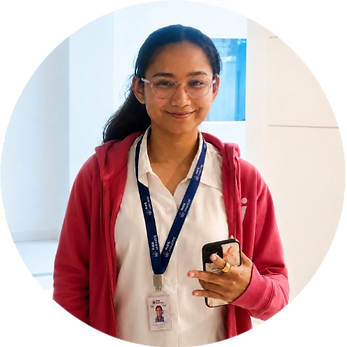
Speaker 2
Suhana Negi
Head Of CCIT Department, SHL
ABOUT THE WOKSHOP
A Masterclass For Your Better Content Creation
This masterclass is designed to helpo students and creators build strong visual communication skills through design thinking, branding basics, canva mastery, and beginner friendly video editing techniques to craft engaging and impactul content.
Partical Learning
Reel Editing demonstrations and design walkthroughs
Creative strategy
Understanding content structure and visual storytelling.
Beginner Friendly Training
Simple Expanantions for canva and editing tools
Industry Insights
Best practices for engaging digital content
WHAT PARTICIPANTS LEARNED
Design Foundations
-
Introduction to Graphic Design
-
Understanding Design principles and Visual Aesthetics

Practical Demonstrations
-
Pratical Design Demonstations : Before vs After
-
Choosing the Right Elements: What suits the Best
Video Editing Essentials
-
Video Editing Basics: Key components of a great edit
-
Enhancing Visual Appeal through Editing.
Content Creation Strategy
-
Creating Enaging COntent: Techniques for Better Retention.
-
Essential Tools and Best Practices for Content Creation

MEET THE SPEAKERS
Jiya Goyal
Chief Branding Officer, SHL
A creative branding professional focused on helping students understand the fundamentals of graphic design, Canva, and visual storytelling.
During the session, Jiya guided participants through practical Canva demonstrations, design principles, visual aesthetics, and content structuring techniques to help them create cleaner and more engaging digital content.
MEET THE SPEAKERS
Suhana Negi
Head of CCIT Department, SHL
A creative professional passionate about digital content and visual editing techniques.
Suhana conducted hands-on demonstrations covering video editing basics, enhancing visual appeal, audience retention techniques, and beginner-friendly editing workflows designed to make content more impactful and engaging.

WORKSHOP HIGHLIGHTS
Live Canva Walkthrough
Editing Demonstrations
Branding Examples
Interactive Q&A
Real time Feedback
Beginner Creator Tips
PARTICIPANT REVIEWS


EVENT SNAPSHOT
Date
16th & 18th May 2026
2-3 Hours
Duration
Google Meet
Venue
Social House Learning
Organised By
Students & Creators
Participants
GLIMPSES FROM THE SESSION


